





Why Currency Switcher for WooCommerce Matters for Global Stores
Selling internationally is one of the fastest ways to grow a WooCommerce store, but it also introduces friction. When visitors see prices only in your default currency, many hesitate, calculate conversions on their own, or leave before checkout. Currency Switcher for WooCommerce is built to remove that barrier by automatically displaying prices in the customer’s local currency and keeping exchange rates updated in real time.
For store owners who want a practical way to support international buyers, this plugin adds a flexible multi-currency layer across product pages, cart, and checkout. Instead of forcing shoppers to adapt to your store, it helps your store adapt to them.
What Is Currency Switcher for WooCommerce?
Currency Switcher for WooCommerce is a WordPress plugin designed for WooCommerce stores that want to offer a multi-currency shopping experience. It allows customers to switch currencies manually and can also detect their location using Geo-Location IP to show the most relevant currency automatically.
The plugin supports live exchange rates with automatic or manual updates, giving merchants more control over how converted prices are displayed. It can be added through a shortcode, widget, or even directly in the menu, making it easy to place the currency selector where customers naturally expect to find it.
How It Improves the Customer Experience
One of the biggest benefits of a currency switcher is trust. Customers feel more confident when they can browse prices in a familiar currency. That confidence can improve product engagement and reduce drop-off during checkout.
With this plugin, shoppers can see converted pricing in real time, while store owners can optionally allow payment in the selected currency. This creates a more seamless path from product discovery to final purchase. The plugin also converts shipping costs and tax values into the active currency, helping buyers understand the full order total more clearly.
Key Features That Stand Out
Currency Switcher for WooCommerce includes a range of features that make it useful for both simple and advanced stores:
- Automatic currency detection based on visitor IP using WooCommerce geolocation
- Real-time currency conversion for product prices
- Advanced product pricing per currency
- Advanced coupon values for each currency
- Automatic conversion of tax and shipping costs
- Custom exchange rates for individual currencies
- Automatic or manual exchange rate updates
- Custom price formatting for each currency
- Optional ability for customers to pay in the selected currency
- Payment gateway visibility control depending on the current currency
- Menu integration, widget support, and shortcode placement
These features make the plugin more than a basic converter. It gives merchants tools to build a more localized buying experience without reworking the entire store.
Flexible Display Options for Better Usability
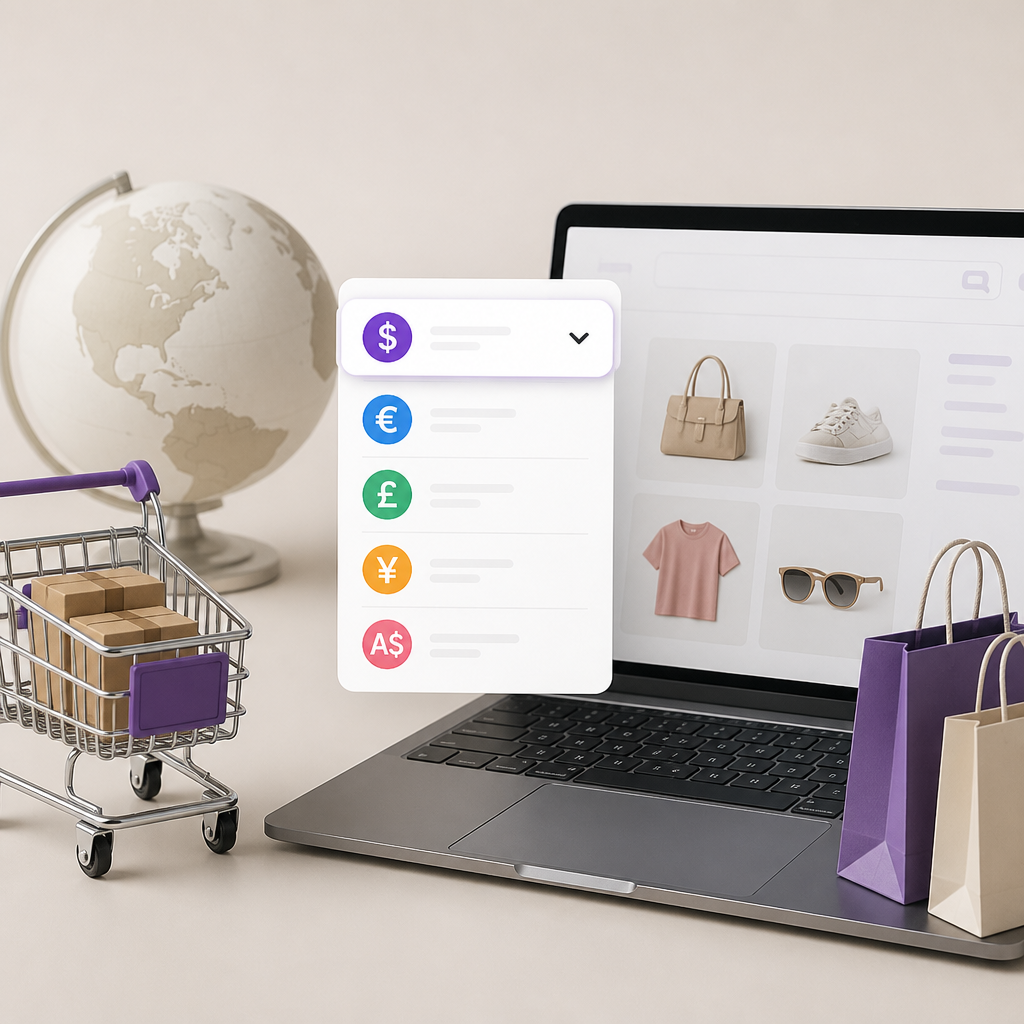
A useful currency switcher should be easy to access. This plugin offers multiple display methods, including shortcode and widget support. Store owners can show the switcher as a list or a dropdown and can choose whether to display flags, symbols, currency codes, or native names.
The included shortcode is simple to implement:
[pmcs]
It also supports customization options such as display type, title, symbol visibility, and dropdown width. For example:
[pmcs display_type="dropdown" show_symbol="yes" dropdown_width="180px"]
This level of flexibility makes it easier to match the switcher to your store’s navigation, header, sidebar, or other strategic locations.
Useful for Stores with Complex Pricing Needs
Not every store can rely on automatic conversion alone. Some businesses need to fine-tune pricing by currency due to market strategy, tax differences, supplier costs, or psychological pricing. Currency Switcher for WooCommerce supports advanced product pricing and coupon values for each currency, giving merchants more control over how they position offers in different regions.
That can be especially useful for stores running international promotions, localized discounts, or region-specific pricing structures.
Checkout and Payment Control by Currency
Multi-currency support becomes even more valuable when it extends to checkout. This plugin can optionally allow customers to complete payment in the selected currency. It also lets merchants hide or show payment methods depending on the active currency.
That means you can create a cleaner checkout experience and avoid presenting gateways that may not support a given currency. For stores serving customers across multiple countries, this can reduce confusion and improve operational consistency.
Compatibility with Popular WooCommerce Extensions
Compatibility is important when adding any WooCommerce extension. According to the product information, Currency Switcher for WooCommerce works with several widely used tools, including:
- WooCommerce Extra Product Options
- Table Rate Shipping for WooCommerce by Bolder Elements
- WooCommerce Stripe Gateway
- PayPal for WooCommerce by AngellEYE
- WooCommerce PDF Invoices & Packing Slips
It also reports broad compatibility with many payment gateways in multiple allowed mode, which is helpful for stores using a diverse payment stack.
Who Should Use Currency Switcher for WooCommerce?
This plugin is a strong fit for WooCommerce store owners who:
- Sell to customers in multiple countries
- Want automatic local currency display
- Need live exchange rate updates
- Prefer both automatic and manual control over currency settings
- Want to localize checkout totals, tax, and shipping costs
- Need flexible placement through widgets, menus, or shortcodes
If your business depends on cross-border sales, even a small improvement in pricing clarity can have a meaningful impact on conversion rates.
Technical Snapshot
- Plugin name: Currency Switcher for WooCommerce
- Version: 0.0.11
- Author: PressMaximum
- Minimum WordPress version: 5.1
- Tested up to: 7.1
- Minimum PHP version: 7.0
- Type: WordPress plugin
Final Thoughts
Currency Switcher for WooCommerce addresses one of the most common pain points in international ecommerce: pricing clarity. By showing prices in local currencies, updating exchange rates, and extending currency logic into shipping, tax, and checkout, it helps create a more natural buying experience for global audiences.
For WooCommerce merchants looking to make their stores more accessible to international customers, this plugin offers a practical mix of automation, customization, and compatibility. In a competitive ecommerce environment, reducing friction at the pricing level can be a smart step toward better conversions and happier customers.
Want to know more about this product? Check out the product page.